You and your neighbors can use urgent alerts to tell each other immediately about important crime and safety issues, such as:
suspicious activity
missing children
fires, floods, or other disasters
local evacuations
Nextdoor sends urgent alerts by email, or by cell phone for members who tell Nextdoor they want to receive mobile alerts. For help with mobile alerts, see Section 7.2.2, “Mobile Alerts Settings”.
Caution
Only send urgent alerts for crime or safety issues that your neighbors must know about immediately. If applicable, call 911 before you send an urgent alert.
To send an urgent alert:
Click in the Post a message, event or urgent alert to neighbors box near the top of the home page. A MESSAGE field will come into view:
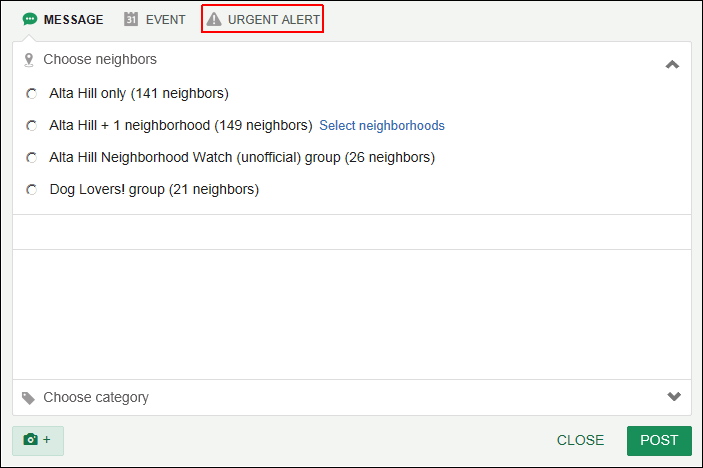
Click URGENT ALERT at the top of the MESSAGE field. A “Send an urgent alert” form will come into view:
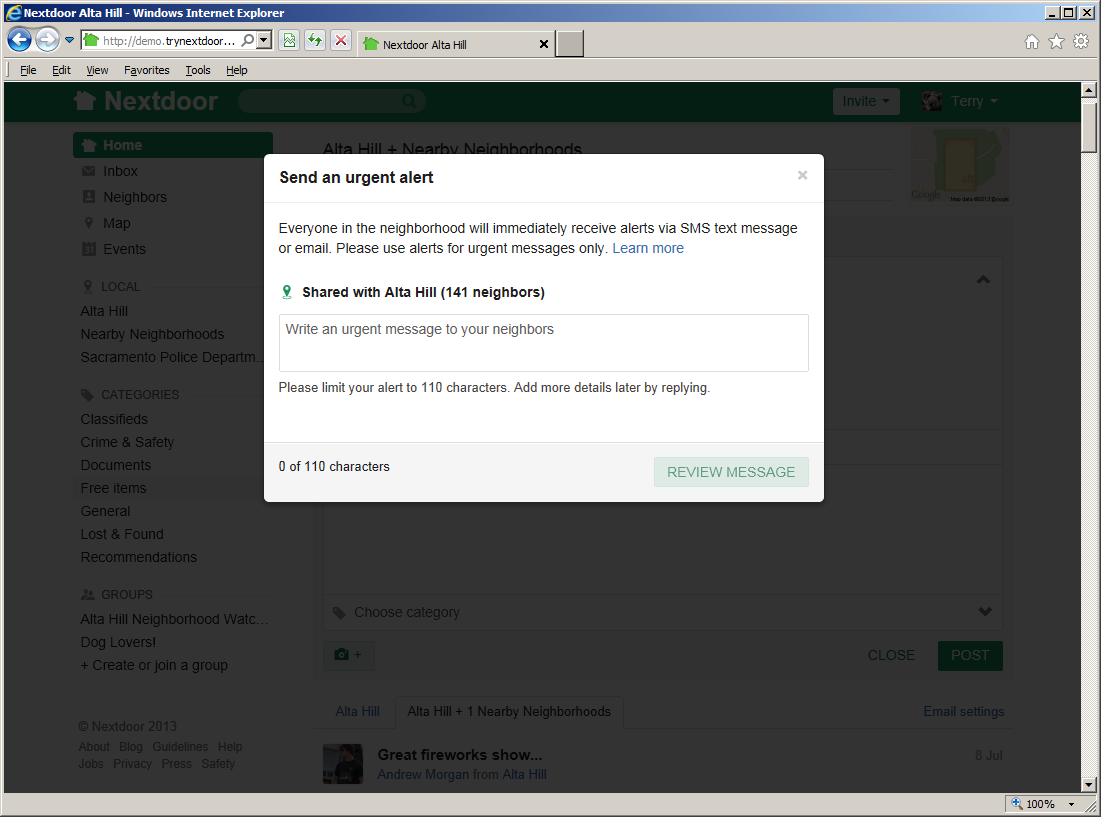
Type a short message in the Write an urgent message to your neighbors box. The message can be no more than 110 characters long. (Nextdoor will not let you send the message if it is more than 110 characters long.)
Click the green button. A new form that shows your message will come into view.
If you want to send the urgent alert, click the green button.
Note
To cancel the message, click the button. The “Send an urgent alert” form will come back into view. Click the at the top right corner of this form to cancel the message.
To add more information, you can reply to an urgent alert.
Note
If you reply to an urgent alert, Nextdoor will not send the information you add as an urgent alert.