Tap ≡ at the top left corner of the screen.
Tap Neighbors. A list of neighborhood residents will come into view:
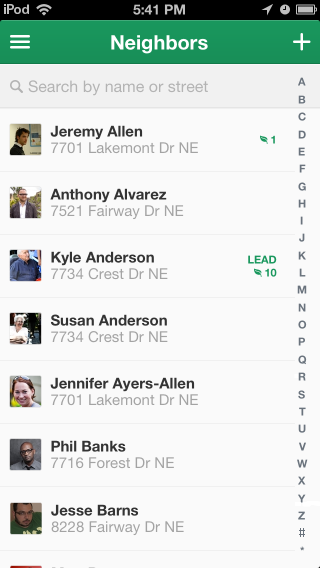
You can use your finger to drag up or down to scroll through the list. Or you can search for a neighbor by their name or street name:
Tap Search by name or street at the top of the screen.
Type part or all of the neighbor's first or last name, or street name. Results will come into view as you type.
When you see the neighbor's name, tap the name. The neighbor's profile screen will come into view:
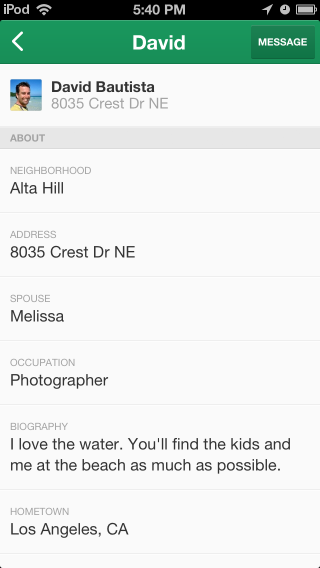
You can send a neighbor a private message from their profile page.
To send a neighbor a private message:
Tap at the top right corner of their profile page. A new screen will come into view:
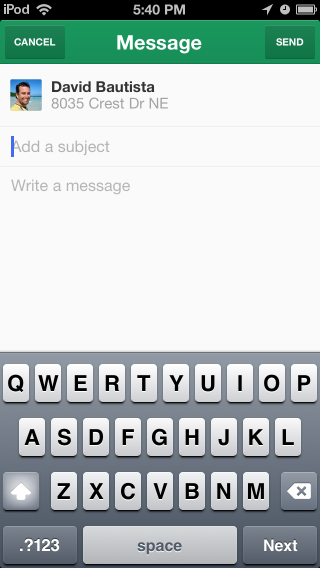
Tap in the “Add a subject” box. Type a subject (description) for the message.
Tap in the “Write a message” box. Type your message.
To send your message, Tap at the top right corner of the screen.
Note
To not send the message, tap at the top left corner of the screen.